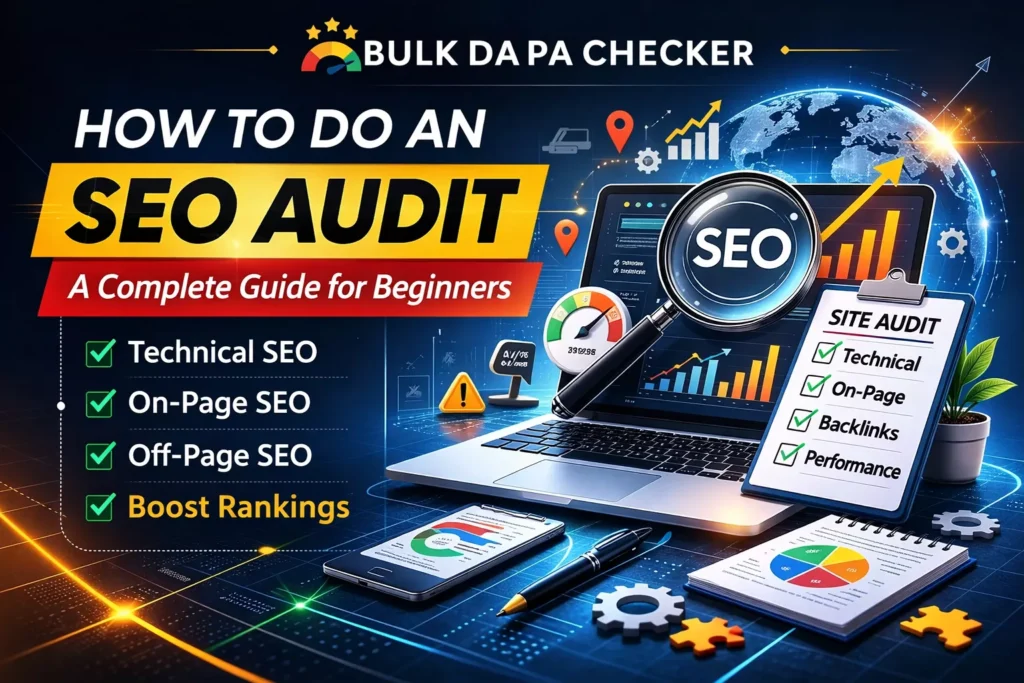
An SEO audit is the process of evaluating your website’s performance, identifying issues, and improving its visibility on search engines. It includes checking technical aspects, on-page SEO elements, content, and backlinks to ensure your site meets best practices for SEO.
For beginners, think of it as a full medical check-up for your website. Just like a doctor looks for hidden problems before they become serious, an SEO audit uncovers issues that quietly reduce traffic, rankings, and conversions.
Regular audits (every 3–6 months) keep your site healthy in a search landscape that now includes traditional Google results plus AI Overviews, ChatGPT, Gemini, and Claude.
Why You Need a Free SEO Audit: Key Benefits
If you are new to SEO, you might wonder why you need to audit at all. The truth is simple: most websites lose 30–50% of potential traffic because of fixable problems. Even a one-time audit can deliver quick wins. Ongoing audits turn those wins into sustained growth.
Common benefits include:
- Faster indexing and better crawl budget
- Higher rankings for existing pages
- Improved user experience and lower bounce rates
- Protection against Google algorithm updates
- Clear roadmap for future content and link-building
According to a study by Wonderfou.io, SEO is the top driver of traffic, outperforming organic social media by over 1000%. Businesses that optimize for search engines typically see a higher return on investment (ROI) than those focused solely on social media.
Types of SEO Audits You Should Know
- Technical SEO Audit – Crawlability, speed, mobile, schema, security
- On-Page SEO Audit – Titles, meta descriptions, headings, content optimization
- Off-Page SEO Audit – Backlinks, brand mentions, authority
- Content Audit – Quality, relevance, freshness, gaps
- Local SEO Audit – Google Business Profile, citations, NAP consistency (especially important for businesses targeting specific cities or regions)
This guide covers all five in one complete process.
Top 5 SEO Audit Tools Compared (2026)
| Tool | Best For | Pricing (starting) | Beginner-Friendly | Key Strength in 2026 | Limitation |
|---|---|---|---|---|---|
| Semrush Site Audit | Full-site + AI visibility | Free (100 pages), then $139.95/mo | High | 140+ issues, AI search checks, scheduled audits | Paid for large sites |
| Ahrefs Site Audit | Backlinks + content gaps | $99/mo | Medium | Excellent keyword & backlink data | Steeper learning curve |
| Screaming Frog | Deep technical crawl | Free (500 URLs), $279/yr | Medium | Unlimited URLs (paid), custom rules | Desktop tool, manual |
| Google Search Console | Free indexing & performance | Completely Free | Very High | Direct Google data, Core Web Vitals | Limited to Google view |
| SE Ranking | Affordable all-in-one | $65/mo | High | Progress tracking, white-label reports | Fewer AI-specific features |
Pro tip for beginners: Start with the completely free combination of Google Search Console + PageSpeed Insights + Screaming Frog (free version). When ready to scale, add Semrush or SE Ranking.
For quick free checks, try specialized tools like the Bulk Broken Link Checker or Free SEO Meta Description Generator from BulkDapa.site — perfect for targeted fixes without monthly fees.
How to Do an SEO Audit: Step-by-Step Guide (Beginner-Friendly)
To perform a complete SEO audit, start by connecting Google Search Console, run a site crawl with Screaming Frog or Semrush, then systematically check technical issues, on-page factors, content, and backlinks. Fix high-impact problems first and track improvements monthly. 75% of users never scroll past the first page of search results. This underlines the importance of optimizing your website to appear on the first page to drive traffic.
1. Set Up Your Free Tools and Verify Site Access (Setup Guide)
- Create a Google Search Console account and verify your property (HTML tag or Google Analytics method).
- Submit your XML sitemap.
- Download and open Screaming Frog SEO Spider (free up to 500 URLs).
- Enter your homepage URL and start the crawl.
This step takes 15–30 minutes and gives you your first data set.
2. Check Crawlability and Indexability
Look for:
- Blocked pages in robots.txt
- Missing or incorrect XML sitemap
- Orphaned pages (no internal links)
- Index coverage errors in GSC
Fix: Add important pages to sitemap, remove unnecessary Disallow rules, and request indexing for key URLs.
3. Audit Site Speed and Core Web Vitals
Use Google PageSpeed Insights and Search Console’s Core Web Vitals report.
Target scores in 2026:
- LCP < 2.5s
- INP < 200ms
- CLS < 0.1
Common fixes: compress images, enable browser caching, use modern image formats (WebP/AVIF), and defer non-critical JavaScript.
4. Ensure Mobile-Friendliness
Run Google’s Mobile-Friendly Test and check responsive design. Fix tap targets, font sizes, and viewport issues.
How to do On-Page SEO Audit
On-page SEO refers to the elements on your website that you can control to improve rankings. These include titles, headings, meta descriptions, images, and internal linking. Here’s how to audit your on-page SEO:
1. Analyze Meta Tags
Meta titles and descriptions help search engines understand the content of your page. Ensure that each page has a unique and optimized meta title (around 60 characters) and meta description (140–160 characters). This is key for improving click-through rates (CTR).
2. Check URL Structure
SEO-friendly URLs are short, descriptive, and include keywords. Ensure your website’s URLs are easy to read and follow a logical structure. For example, a URL like www.example.com/seo-audit-guide is better than www.example.com/page?id=12345.
3. Optimize Headings and Content
Use headings (H1, H2, H3) to break up your content into readable sections. Make sure your main keyword appears in the H1 tag, and use related keywords in the subheadings. Focus on creating high-quality, informative content that satisfies user intent.
Use the free SEO meta description generator to quickly create optimized descriptions.
4. Content Quality and Gap Analysis
Categorize pages:
- Keep & update
- Rewrite
- Consolidate (merge duplicates)
- Delete
Check for thin content, outdated information, and missing E-E-A-T signals (author bios, sources, dates).
Technical SEO Deep Dive
Check for:
- Broken links and redirects (use Bulk Broken Link Checker)
- Duplicate content
- Schema markup opportunities
- HTTPS everywhere
- Security headers
Off-Page SEO Audit: Evaluating Backlinks and Social Signals
Off-page SEO refers to actions taken outside your website to impact rankings. This primarily involves backlinks and social media engagement.
1. Analyze Backlinks
Check the quality and quantity of backlinks pointing to your site. High-quality backlinks from authoritative sites can significantly improve your rankings. Tools like Ahrefs or SEMrush can help you analyze your backlink profile.
2. Competitor Benchmarking and Action Plan
Compare your site against 2–3 top competitors using Semrush or Ahrefs Domain Overview. Create a prioritized fix list (High/Medium/Low impact).
3. Assess Social Media Engagement
While social signals don’t directly impact rankings, they can increase visibility and drive traffic. Ensure that your website content is being shared across social media platforms. Tools like BuzzSumo can help identify popular content in your niche.
Common Mistakes Beginners Make in SEO Audits (And How to Avoid Them)
- Relying on only one tool → Always cross-check with at least two sources.
- Fixing everything at once → Prioritize high-impact, low-effort wins first.
- Ignoring user experience → Speed and mobile issues hurt rankings more than ever in 2026.
- Forgetting to re-audit → One audit is not enough; schedule quarterly checks.
- Over-optimizing (keyword stuffing) → Focus on helpful content that satisfies search intent.
- Neglecting local signals when relevant → Even global sites benefit from strong local authority in key markets.
Local SEO Audit Checklist for Global + Local Businesses
If you serve customers in specific cities or regions:
- Verify Google Business Profile accuracy
- Ensure consistent NAP across 50+ directories
- Optimize for “near me” and city-based searches
- Build local backlinks and reviews
- Monitor AI visibility for local queries
According to BrightLocal, 61% of mobile searchers are more likely to reach out to a local business if it provides a mobile-friendly website. This emphasizes the importance of mobile optimization for local SEO.
Turning Your Audit Into Results
Create a simple spreadsheet with columns: Issue | Priority | Owner | Deadline | Status. Assign tasks, set reminders, and measure improvements after 30 days. Most beginners see 20–40% traffic uplift within 3 months when they follow through.
Ready to audit your site and start growing? Begin with our free tools today:
→ Free SEO Meta Description Generator
For ongoing help or a professional deep-dive audit, explore the full toolkit at BulkDapa.
Implement the steps above, track your progress, and watch your rankings climb in 2026 and beyond.
FAQs:
1. What is an SEO audit?
An SEO audit is a comprehensive analysis of a website to assess its SEO performance. It includes reviewing technical, on-page, and off-page factors to identify issues and improve rankings.
2. How do I conduct an SEO audit?
To conduct an SEO audit, follow these steps:
-
Crawl your website for errors.
-
Check your site’s speed and mobile-friendliness.
-
Review your on-page SEO elements like meta tags and headings.
-
Analyze your backlinks and off-page SEO.
-
Address any technical issues, such as broken links or indexing problems.
3. Why is an SEO audit important for my website?
An SEO audit helps identify issues that could prevent your site from ranking higher on search engines. It ensures that your website is optimized for both search engines and users, leading to better traffic and visibility.
4. What tools can I use to perform an SEO audit?
You can use several tools to perform an SEO audit, including:
-
Google Search Console
-
SEMrush
-
Ahrefs
-
Screaming Frog
-
Google PageSpeed Insights
5. What are the main components of an SEO audit?
The main components of an SEO audit include:
-
Technical SEO: Website speed, mobile optimization, and crawling issues.
-
On-Page SEO: Content, meta tags, and headings.
-
Off-Page SEO: Backlinks and social media signals.
6. How often should I perform an SEO audit?
It is recommended to perform an SEO audit at least once every 6 months to ensure your site stays optimized and competitive in search engine rankings.
7. Can I perform an SEO audit for free?
Yes, many tools offer free SEO audits, including Google Search Console, and some websites offer free audit reports with limited features, like Bulk DAPA’s free SEO audit tool.
8. How do I fix common SEO audit issues?
Common SEO audit issues can be fixed by:
-
Improving website speed through optimization tools.
-
Fixing broken links and redirecting them.
-
Ensuring proper indexing in Google Search Console.
-
Optimizing mobile-friendliness by using responsive design.
Read Also: Best Bulk SEO Tools for Agencies & Large Websites in 2026