TL;DR Spam score is a risk indicator (not a penalty) that estimates how likely a site or link profile looks “spammy” based on patterns commonly found in penalized sites. A “good” spam score is typically low and stable over time, while a “bad” spam score is one that’s rising or paired with obvious backlink spam signals (irrelevant links, manipulative anchors, link networks). The fix is: audit backlinks, remove what you can, and disavow only when there’s real risk.
Introduction
If you’ve ever opened a backlink tool and felt your stomach drop—“Why is my spam score climbing?”—you’re not alone. SEOs, site owners, and agencies run into this constantly, especially after a new link-building campaign, a competitor attack, or a sudden surge of low-quality referrals.
Here’s the thing: spam score isn’t the same as a Google penalty, and toxic backlinks aren’t always “harmful” in the way people fear. But risky links can become a real problem when they’re clearly manipulative, scaled, or tied to link schemes—and that’s where smart cleanup matters.
In this guide, you’ll learn what spam score is, what a good vs bad spam score looks like, how to find toxic backlinks, how to remove or disavow risky links safely, and how to prevent backlink spam in the future—with a workflow you can actually use.
What Is Spam Score?
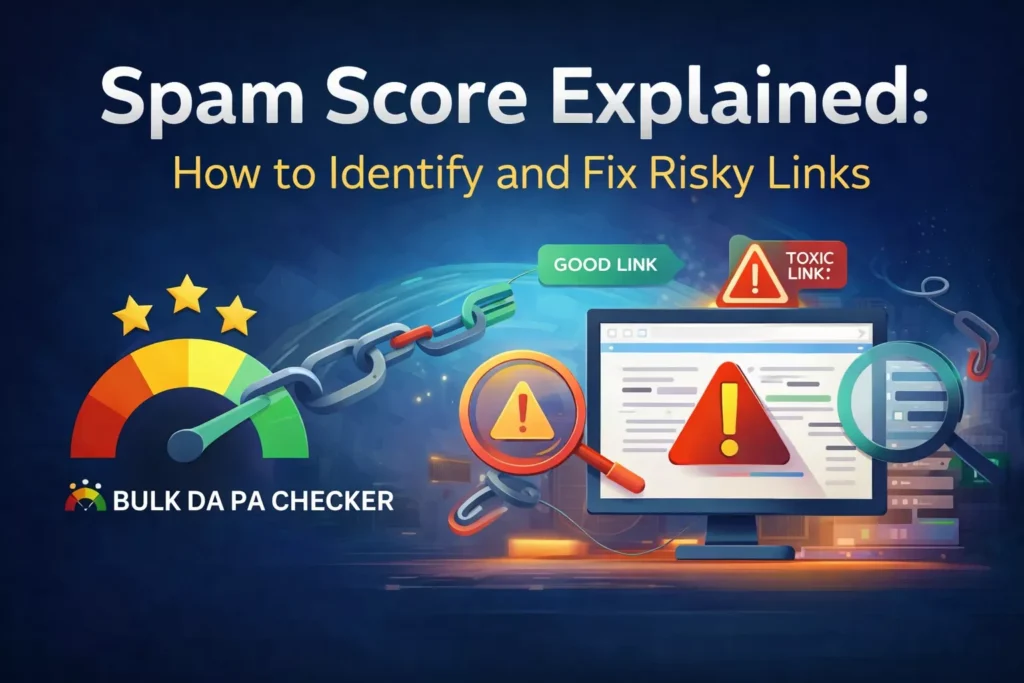
Spam score is an SEO metric designed to estimate how “spam-like” a website or backlink source looks based on patterns commonly associated with penalized or low-trust sites. It’s usually expressed as a percentage and is not a Google metric or direct ranking factor. Think of it as a warning light: it helps you prioritize deeper investigation into link quality, site signals, and risk. Used correctly, spam score supports safer link building and faster cleanup decisions.
Spam score vs Google: an important reality check
Spam score is not something Google publishes inside Search Console. It’s typically provided by SEO toolsets (most famously Moz’s Spam Score concept) and used as a risk proxy—a way of saying, “Sites that look like this often cause problems.”
Google, meanwhile, evaluates links using its own systems and spam policies. Google’s documentation focuses on behavior that violates policies (like link schemes) and how manual actions work, rather than giving you a single “spam score” number.
Why SEOs still care about spam score
Even though spam score isn’t a Google metric, it’s useful because it helps you:
-
Spot patterns (link networks, irrelevant anchors, suspicious domains) early
-
Prioritize audits when you’re managing thousands of backlinks
-
Reduce risk if you’re running outreach, guest posts, PR campaigns, or scaled content
Use it as a triage signal, not a verdict.
What Is a Good Spam Score vs a Bad Spam Score?
A “good” spam score is usually low and stable, with no obvious link spam patterns in your backlink profile. A “bad” spam score is one that’s high and rising, especially when paired with toxic backlink signals like irrelevant link sources, manipulative anchor text, sitewide footer links, or known link networks. There’s no universal perfect threshold because tools differ, but trending upward + poor link quality is the real danger.
So… what is a good spam score?
In practical SEO terms, a good spam score is:
-
Low enough that it doesn’t stand out compared to peers in your niche
-
Stable over time (not climbing month after month)
-
Not supported by obvious “spam signals” in your backlink profile
And what is a bad spam score?
A bad spam score is less about a single number and more about context:
-
The score is climbing quickly
-
The increase correlates with a link-building vendor, cheap guest posts, link exchanges, or scraped content syndication
-
Your backlink profile shows signs of link schemes (scaled, unnatural patterns)
Google is clear that link schemes—links intended to manipulate rankings—violate spam policies.
The mistake most people make
They see a “high” spam score and immediately panic-disavow everything.
But Google’s own guidance frames disavow as an advanced, caution-required tool—especially when used incorrectly, because you can harm your site by disavowing links that are actually helping.
A better approach is to use the spam score to investigate, not to overreact.
Toxic Backlinks, Bad Backlinks, and Spammy Backlinks: What Do These Actually Mean?
“Toxic backlinks” and “bad backlinks” are informal terms for links that appear manipulative, irrelevant, or risky—often because they come from link networks, hacked sites, spam directories, or pages built solely to pass PageRank. “Spammy backlinks” usually refer to scaled, low-quality links with unnatural patterns (anchors, placement, or volume). Tools may label links toxic automatically, but smart SEOs verify manually before removing or disavowing to avoid harming legitimate authority signals.
What are toxic backlinks?
Most tools label a backlink “toxic” when it matches risk markers such as:
-
Link networks / PBN footprints
-
Suspicious or irrelevant site topics
-
Spammy anchors (exact-match keywords on random sites)
-
Sitewide/footer/sidebar paid links
-
Pages with no real editorial purpose (thin content, autogenerated listings)
Semrush, for example, defines toxic backlinks as links that can potentially harm SEO and provides guidance on identifying them through automated signals plus manual review.
Are all bad backlinks actually dangerous?
Not always.
Google works hard to prevent unrelated third-party links from harming you, and modern systems often neutralize spam rather than punish sites automatically. That said, Google also notes that in some circumstances, incoming links can affect Google’s opinion—especially when they’re tied to manipulative link building.
So the real takeaway is:
-
A few junk links happen to everyone → usually not a crisis
-
A pattern of manipulative links (paid/scale/link schemes) → worth cleaning
How to Find Toxic Backlinks (Step-by-Step)
To find toxic backlinks, start by exporting your links from Google Search Console, then compare with a third-party backlink tool to widen coverage. Next, sort by suspicious patterns: irrelevant domains, spam TLDs, sitewide links, exact-match anchors, or pages with thin content. Verify each link manually by visiting the linking page and checking context. Tag links as “OK,” “Remove,” or “Consider disavow.” Only disavow when removal fails and the links are clearly manipulative.
Step 1: “Check my backlink” list in Google Search Console
Search Console is your safest starting point because it’s Google’s own view of the links it has discovered. Export:
-
Top linking sites
-
Top linking text (anchors)
-
Sample links
Then you’ll have a baseline for checking backlinks over time.
Step 2: Expand the dataset using a backlink tool (optional but helpful)
Third-party tools often find links that Search Console doesn’t show in the same way or at the same time. They also provide:
-
Spam score proxies
-
Toxicity markers
-
Anchor text distribution views
-
Link placement categorization.
Step 3: Identify toxic link patterns (this is where audits become “real”)
Instead of staring at one “toxicity” number, look for clusters of risk. Common backlink spam patterns include:
1) Unnatural anchor text patterns
If you see a sudden surge of anchors like:
-
“buy + keyword”
-
“best + keyword”
-
casino/pharma/adult anchors on a normal business site
…that’s a red flag.
2) Irrelevant link sources
Links from websites that have nothing to do with your niche can be normal (the internet is messy), but when the majority of new links are irrelevant and low-quality, it’s suspicious.
3) Link network footprints
Examples:
-
Many domains with near-identical templates
-
Same “write for us” pages, same category structure
-
Similar outbound link blocks pointing to unrelated sites
4) Sitewide/footer/sidebar links
Sitewide links can happen naturally (themes, partners), but if they appear paid or manipulative, treat them as risky.
5) Thin pages built only to link out
A classic “toxic backlink” is a page with:
-
Little original content
-
Excessive outgoing links
-
No real user purpose
Step 4: Manually verify (yes, you actually need to click)
Tools can be wrong. Before you mark something toxic, open the linking page and answer:
-
Is the page indexed and real?
-
Is your link in editorial content (contextual) or in a random block of links?
-
Does the site appear legitimate, maintained, and relevant?
-
Is the anchor natural, or does it look placed for SEO?
This is the difference between smart link cleanup and accidental authority loss.
How to Check Toxic Backlinks Free (Without Paying for Expensive Tools)
You can check toxic backlinks for free by using Google Search Console exports plus manual review. Start with linking domains and anchor text, then spot red flags like irrelevant sites, spammy anchors, and sitewide links. Open suspicious linking pages and check whether the page is thin, stuffed with outbound links, or clearly part of a link network. Free methods take longer and miss some links, but they’re enough for most small sites unless you’re facing a manual action.
If you want the “check bad backlinks free” approach, here’s the honest reality:
-
Search Console + manual review works, but it’s time-intensive.
-
Free trials of backlink tools can speed things up.
-
The most important part is not the tool—it’s the decision framework.
A practical “free audit” workflow:
-
Export linking domains + anchors from Search Console
-
Sort anchors alphabetically and look for obvious spam topics
-
Sort domains and quickly scan: does the domain look real?
-
Open only the suspicious ones, document evidence, tag actions
If you manage multiple websites or large portfolios, tools become worth it because the dataset gets huge fast.
How to Get Rid of Bad Backlinks (Remove Toxic Backlinks the Safe Way)
To get rid of bad backlinks, try removal first: contact site owners, request deletion, and document attempts. If removal isn’t possible and the links are clearly manipulative (paid links, link networks, hacks), consider the Google disavow tool as a last resort. Google recommends removing as many spammy links as possible before disavowing, and warns that incorrect disavow use can harm performance. Always verify links manually before taking action.
Google’s official stance is straightforward: remove what you can first, disavow only when needed, and treat disavow as advanced and risky if misused.
Option A: Remove links (best when possible)
This is the cleanest fix when the backlinks are obviously paid, injected, or unwanted.
A simple outreach email template (keep it polite, short, and specific):
Subject: Request to remove a link to our site
Hi,
I noticed a link to our website on this page: [URL of linking page].
Could you please remove it? We’re cleaning up unwanted links.
Thanks in advance.
If you’re an agency, track:
-
Date contacted
-
Contact method
-
Response
-
Link removed? (yes/no)
Option B: Disavowing toxic links (last resort, but sometimes necessary)
Disavow tells Google you want certain links ignored. Google describes it as a strong suggestion rather than a command, and says they will typically ignore disavowed links.
When disavow makes sense:
-
You have a manual action for unnatural links
-
You (or a vendor) built links that violate spam policies and you can’t remove them
-
You’re hit by heavy, obvious link spam that’s clearly manipulative
When disavow usually does not make sense:
-
A small number of random junk links
-
Low-quality but not manipulative links
-
Links you didn’t build and can’t connect to a pattern
Google’s help documentation explicitly calls disavow an advanced feature and warns incorrect use can hurt performance.
Option C: Ignore (sometimes the smartest move)
If you’re seeing scattered spammy backlinks but:
-
No manual actions
-
No obvious pattern of link schemes
-
No major ranking drops are connected to the timing
…then “monitor and document” is often better than “panic and disavow.”
Disavowing Toxic Links: Best Practices (And Mistakes That Cost Rankings)
Best practice for disavowing toxic links is to be conservative: disavow only links that are clearly manipulative and you can’t remove. Prefer domain-level disavow for link networks or repeated offenders, keep a record of removal attempts, and format your file correctly. Avoid disavowing legitimate editorial links just because a tool flags them. Google treats disavow as a strong suggestion and warns that incorrect use can harm performance.
What Google actually says about disavow (in plain language)
-
It’s meant for cases involving unnatural links or serious link scheme risks
-
You should try to remove first
-
It can harm you if done wrong
-
Google will typically ignore disavowed links, but it’s not guaranteed in every edge case
Domain-level vs URL-level disavow
-
Domain-level: best for link networks, spam domains, repeat offenders
-
URL-level: best for a single bad page on an otherwise legitimate domain
A conservative approach is to disavow domains only when you’re confident they’re part of a spam pattern.
Common mistakes
-
Disavowing good links because a tool said “toxic.”
-
Disavowing huge numbers without manual sampling
-
Using disavow as a “regular maintenance” tool (it’s not meant for that)
-
Not documenting why you disavowed (future-you will regret this)
Backlink Spam: Why It Happens (Even If You Didn’t Do Anything “Wrong”)
Backlink spam happens for several reasons: automated scrapers, spam bots, negative SEO attempts, low-quality directories that copy content, and cheap link building campaigns that place links at scale. Even if you never bought links, your site can attract spam links simply by existing online. Google’s spam policies focus on manipulative link schemes, while tools flag risk patterns. Your job is to detect harmful patterns early and act only when there’s real risk.
Google’s spam policies are focused on preventing manipulation and protecting search quality.
Real-world reasons you get spammy backlinks:
-
A scraper copies your content and links back weirdly
-
Someone uses your domain in a spam directory list
-
A low-end link vendor blasts links and tells you it’s “safe”
-
Competitors try negative SEO (rarely effective, but it happens)
-
Your brand name becomes used in autogenerated pages
The point isn’t to obsess over every junk link—it’s to detect intent and patterns.
How to Prevent Backlink Spam in the Future
To prevent backlink spam, focus on building linkable assets and earning links naturally through PR, partnerships, and helpful content—rather than buying or exchanging links at scale. Vet any link-building vendor carefully, avoid link schemes, and monitor new referring domains monthly for suspicious spikes. Keep anchor text natural, diversify link sources, and maintain a clean technical foundation. If spam links appear, document patterns early so you can remove or disavow only if necessary.
Google’s guidance is consistent: avoid manipulative linking and stick to link practices that make sense for users and the web.
1) Build links that are hard to fake
Spam links thrive when your site has nothing that naturally earns citations. The cure is:
-
Research-based pages
-
Tools, calculators, templates
-
Original opinions and expert explainers
-
Useful resources people reference
Even a simple “industry glossary” can attract natural links over time.
2) Stop cheap link tactics before they start
If a vendor sells:
-
“1,000 backlinks in 7 days”
-
“DA 50+ guest posts” with vague site lists
-
Sitewide footer placements
…it’s a risk. Those patterns often overlap with link schemes, which Google explicitly fights.
3) Monitor link velocity + anchors monthly
You don’t need daily paranoia. A basic monthly routine works:
-
Export new links (or new referring domains)
-
Check anchor distribution
-
Sample suspicious domains manually
The goal: catch a link blast early, not after it becomes a mess.
4) Keep your own site clean (yes, your site affects link risk)
Some spammy links stick because sites are:
-
Thin
-
Poorly maintained
-
Full of autogenerated pages
A cleaner site makes it easier to judge what’s “normal” vs “attack noise.”
Tools and workflows (without turning this into a tools list)
The best workflow combines Google Search Console (for confirmed link data) with a backlink tool (for broader coverage and risk labels) and manual review (for accuracy). Use tools to filter and prioritize, then confirm suspicious links by checking the linking page and context. Track decisions in a simple sheet: source domain, linking URL, anchor, placement, action (keep/remove/disavow), and evidence. This keeps your cleanup defensible and repeatable.
If you’re working on multiple sites or doing this for clients, consistency is everything. A simple spreadsheet with “Keep / Remove / Consider disavow” prevents rushed decisions.
Practical scenarios
Spam score issues usually fall into a few common scenarios: sudden spikes in irrelevant links after a campaign, spammy anchors appearing out of nowhere, or a backlink tool flagging “toxic” links that are actually harmless. The right response depends on evidence. If links are clearly manipulative and clustered, you remove or disavow. If it’s scattered junk with no impact signals, you monitor. Context and patterns matter more than a single metric.
Scenario 1: “My spam score jumped after I hired a link vendor.”
This is classic. You often find:
-
Repeated guest post networks
-
Exact-match anchors
-
Low-quality sites with “write for us” footprints
Fix: stop the campaign, request removals, then disavow only the clear offenders (especially networks).
Scenario 2: “I’m seeing backlink spam but I didn’t build links”
This may be scrapers or bot spam. You often see:
-
Random subdomains
-
Foreign-language spam pages
-
Auto-generated directories
Fix: document, sample-check, don’t overreact unless there’s a manipulative pattern and risk.
Scenario 3: “A tool says toxic, but the site looks legit”
Tools flag patterns; they don’t understand your business context. If the link is editorial and relevant, it’s usually a keep—regardless of a scary label.
FAQ
What is spam score?
Spam score is a third-party SEO risk metric that estimates how “spam-like” a site looks based on signals commonly found in penalized or low-quality domains. It’s not a Google metric.
What is a good spam score?
A good spam score is usually low and stable over time, with no clear backlink spam patterns behind it. “Good” varies by tool, niche, and site maturity—so focus on trend + link quality rather than one number.
What is a bad spam score?
A bad spam score is one that’s high and increasing, especially if you can trace the rise to link schemes, paid links, spam networks, or unnatural anchor patterns. Google’s spam policies target manipulative behavior rather than a numeric threshold.
How do I find toxic backlinks?
Export links from Google Search Console, optionally merge with a backlink tool dataset, then filter by suspicious anchors, irrelevant sources, sitewide links, and network footprints. Manually verify the worst offenders by visiting the linking pages.
How to check toxic backlinks free?
Use Google Search Console exports + manual review: scan anchors and linking domains for spam patterns and confirm by opening linking pages. It’s slower than paid tools but reliable for small sites.
Should I disavow spammy backlinks?
Only if the links are clearly manipulative, you can’t remove them, and there’s real risk (manual action, link scheme history, or heavy spam patterns). Google calls disavow advanced and warns incorrect usage can harm performance.
Final CTA
If your spam score is rising or you’re seeing suspicious new referring domains, don’t guess. Use the BulkDapa Checker for website Domain Authority and if you want expert eyes on your backlink profile, get a free SEO Consultation.
References