









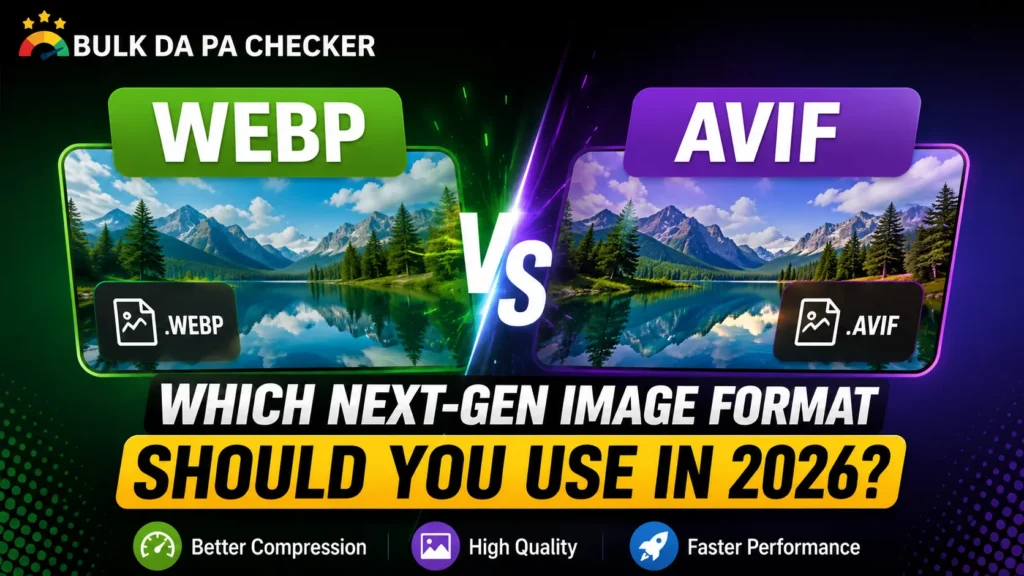
Slow-loading images are a silent SEO killer. In 2026, there is no reason to still serve JPEG or PNG as your primary format, but choosing between WebP and AVIF isn’t always obvious. Both are next-gen formats that crush legacy file sizes, yet they have real differences in compression, browser support, encoding speed, and practical usability.
Here is exactly what you need to know to make the right call for your site.
What’s the Difference Between WebP and AVIF?
WebP, developed by Google in 2010, is built on the VP8 video codec. It supports lossy and lossless compression, transparency, and animation. In 2026, it enjoys near-universal browser support over 98% of global users.
AVIF, released in 2019 and based on the AV1 codec, is the newer and more technically advanced format. It delivers significantly better compression than WebP, supports HDR and 12-bit wide color gamut, and produces cleaner results at aggressive compression levels.
The short answer: AVIF is the stronger format on paper. WebP is the safer choice in practice though the gap between the two continues to close.
Compression: AVIF Wins, But by How Much?
AVIF consistently produces smaller files than WebP at comparable visual quality, typically 20–35% smaller for photographic content. At low bit rates (aggressive compression for mobile), AVIF’s advantage is most pronounced: it retains edge detail and tonal gradients where WebP starts to show blockiness.
For flat-color graphics, logos, and UI elements, the gap narrows significantly. WebP handles these assets efficiently and often matches AVIF’s output for non-photographic content.
If your site is image-heavy, e-commerce product photography, editorial media, portfolio work- AVIF’s compression advantage directly translates to faster LCP scores and lower bandwidth costs.
Browser Support in 2026
WebP is effectively universal. Every major browser Chrome, Firefox, Safari, Edge, and their mobile counterparts has supported it for years. You can serve WebP today with no fallback concerns for virtually any audience.
AVIF support has matured considerably. Chrome, Firefox, Edge, and Safari (since 16.4) all support it. Global AVIF compatibility sits at approximately 95–96% of users in 2026. That remaining 4–5% often older mobile browsers or enterprise-locked environments still requires a fallback.
Bottom line: WebP needs no fallback strategy. AVIF needs one, but it’s simple to implement.
Encoding Speed: WebP’s Practical Advantage
AVIF is computationally expensive to encode often 10 to 50 times slower than WebP at high quality settings. For sites that dynamically resize or generate images on the fly (large product catalogs, user-uploaded content, real-time CDN pipelines), this overhead has real infrastructure cost implications.
WebP encodes quickly and scales without issues, making it the more practical default for dynamic image delivery systems.
If your images are pre-encoded and statically served and you have build-time processing in your pipeline AVIF’s slow encoding becomes a non-issue.
SEO and Core Web Vitals Impact
Image format choice directly affects Largest Contentful Paint (LCP), one of Google’s Core Web Vitals ranking signals. Smaller files load faster, and faster LCP improves both user experience and search rankings.
Both WebP and AVIF satisfy Google’s PageSpeed Insights recommendation to “serve images in next-gen formats.” The SEO gain over legacy formats is significant. The difference between WebP and AVIF is smaller but for competitive niches where Core Web Vitals scores are margin-of-victory factors, AVIF’s compression edge can move the needle on LCP.
Google does not favor one next-gen format over the other algorithmically. The benefit is purely performance-driven: smaller files, faster loads, better scores.
When to Use WebP vs AVIF
Choose WebP when:
- You need zero fallback complexity and maximum compatibility
- Your pipeline generates or resizes images dynamically
- You’re working with graphics, icons, or flat-color illustrations
- Your CMS or CDN has limited AVIF support
Choose AVIF when:
- Your content is primarily photography or high-resolution visuals
- Maximum LCP performance is a priority
- You need HDR or wide color gamut support
- Your images are pre-encoded and statically served
Best practice use both:
html
<picture>
  <source srcset="image.avif" type="image/avif">
  <source srcset="image.webp" type="image/webp">
  <img src="image.jpg" alt="Descriptive alt text" width="800" height="600">
</picture>
This delivers AVIF to modern browsers and falls back to WebP for everyone else no visual compromise, maximum performance coverage.
Most major CDNs (Cloudflare, Cloudinary, Imgix) handle this automatically through Accept header-based format negotiation, requiring no HTML changes on your end.
Quick Comparison
Feature WebP AVIF Compression vs JPEG~30% smaller~50% smaller Browser support~98%~95–96%Encoding speedFastSlowHDR / Wide color gamutNoYesBest forUniversal use, graphics Photography, max performance
The Verdict
For most websites in 2026, WebP remains the practical default fast to encode, universally supported, and a massive improvement over JPEG and PNG. If you’re not yet serving WebP, switching is the single highest-ROI image optimization you can make right now.
If you’re serious about Core Web Vitals and your site is photography or media-heavy, AVIF is worth implementing paired with a WebP fallback via <picture> Or your CDN’s auto-format feature.
The formats are not competitors you must choose between. They are a team. Serve AVIF where you can, WebP where you must, and leave legacy formats behind entirely.