









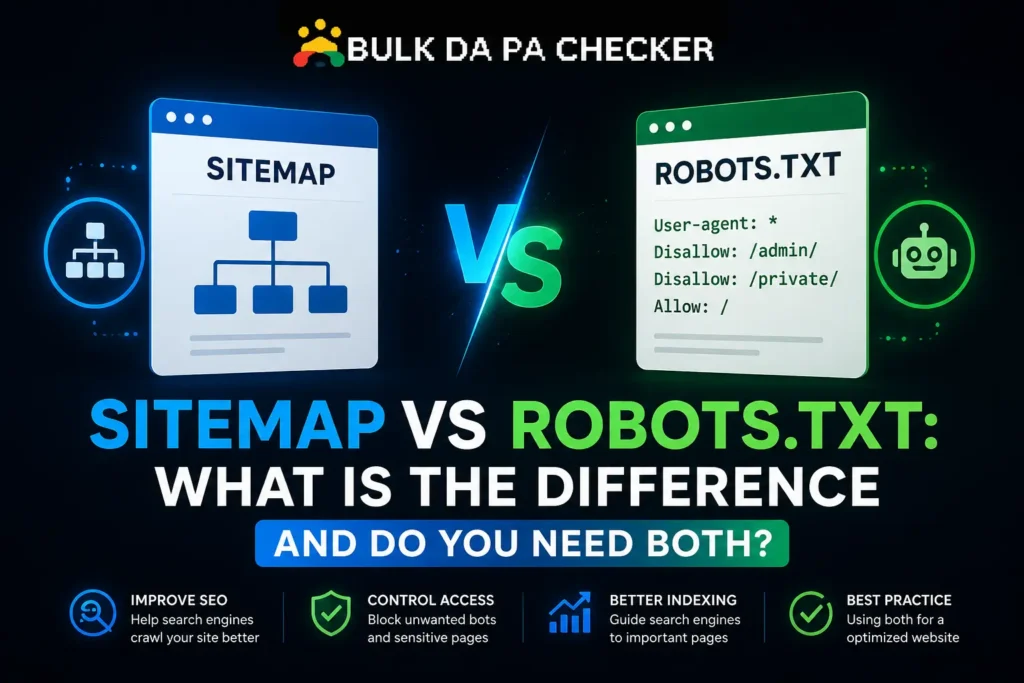
Sitemap and robots.txt sit at the same technical layer of a site, both are plain text files crawlers check early, and that proximity leads a lot of people to assume they do roughly the same job. They actually do close to opposite things, one invites crawling, the other restricts it.
What a Sitemap Actually Does
An XML sitemap is a file listing the URLs on your site that you want search engines to crawl and consider for indexing, often including metadata like last modified date. It is an invitation, not a guarantee, since Google still decides independently whether to actually crawl and index each listed URL.
A sitemap is most useful for large sites, new sites with few external links, or sites with content that is hard to discover through normal crawling alone.
What Robots.txt Actually Does
Robots.txt is a plain text file that restricts which paths crawlers are allowed to request from your server. While a sitemap says “please crawl these,” robots.txt says “do not crawl these,” making the two files functionally opposite in purpose even though they sit at a similar technical layer of the site.
Our Robots.txt File Generator builds this file from simple selections, which avoids the common mistake of accidentally blocking more than intended with a stray character in a manually written rule.
Do They Need to Reference Each Other?
Robots.txt commonly includes a Sitemap directive pointing to the sitemap’s location, which is considered good practice but not strictly required, since sitemaps can also be submitted directly through Google Search Console. The two files work independently and do not require each other to function correctly.
From experience, I add the Sitemap line to nearly every robots.txt file I write regardless of whether the client has also submitted it through Search Console, since it costs one line and gives any crawler a direct path to the sitemap with zero downside.
What Happens If a Sitemap Lists a Blocked URL
If a URL appears in your sitemap but is blocked by robots.txt, this sends a contradictory signal that wastes the sitemap entry, since Google cannot crawl a URL it has been instructed to avoid. This mismatch is one of the more common technical SEO errors found during site audits.
From experience, this exact contradiction shows up constantly on sites where the sitemap is generated automatically by a plugin while robots.txt was edited manually by a different person, with nobody cross-checking that the two files actually agree with each other.
Do You Need Both Files?
Almost every site benefits from having a sitemap, since it helps discovery regardless of site size. Robots.txt is technically optional, since WordPress and most CMS platforms generate a basic default automatically, but a custom file is worth having the moment you need to manage crawl budget or block specific paths.
A clean crawl setup also supports Domain Authority growth indirectly, since DA is built largely on backlink signals that only count once Google can actually crawl and index the page those links point to.
| File | Purpose | Required? |
|---|---|---|
| Sitemap | Lists URLs to crawl and index | Strongly recommended for every site |
| Robots.txt | Restricts crawler access to specific paths | Optional, but worth customizing past the CMS default |
Checking Both Files for Consistency
Checking consistency means confirming that no URL listed in your sitemap is blocked in robots.txt, and that your sitemap location is correctly referenced if you choose to include it as a directive. This quick cross-check catches one of the most common and easily fixed technical SEO mismatches.
Backlinks remain one of Google’s top three ranking factors, and none of that earned link equity reaches a page properly if a sitemap and robots.txt mismatch quietly keeps Google from crawling it. 91% of pages get zero organic traffic from Google according to Ahrefs, and a crawl contradiction like this is one of the few traffic-killing issues that takes minutes to find and fix once you know to look for it.
Frequently Asked Questions
Can a site work fine with no sitemap at all?
Smaller sites with strong internal linking can sometimes get by without one, but a sitemap remains a low-effort way to support crawling regardless of size.
Does robots.txt need to be updated every time I add a new page?
No, robots.txt only needs updates when you want to change which paths are blocked, not for every new page you publish.
Where should I submit my sitemap besides referencing it in robots.txt?
Submit it directly through Google Search Console and Bing Webmaster Tools for the most reliable discovery.
Can I have multiple sitemaps for one site?
Yes, large sites often use a sitemap index file that references several smaller sitemaps organized by content type.
Will Google ignore my sitemap if my robots.txt has errors?
Not necessarily the whole sitemap, but specific URLs that are blocked in robots.txt will be skipped regardless of their sitemap listing.
Get Both Files Right
Our Robots.txt File Generator builds a clean, tested file in minutes. Pair it with our Bulk DA PA Checker to monitor authority while you clean up crawl signals, and visit our expert SEO consultant page for a full technical SEO review.