








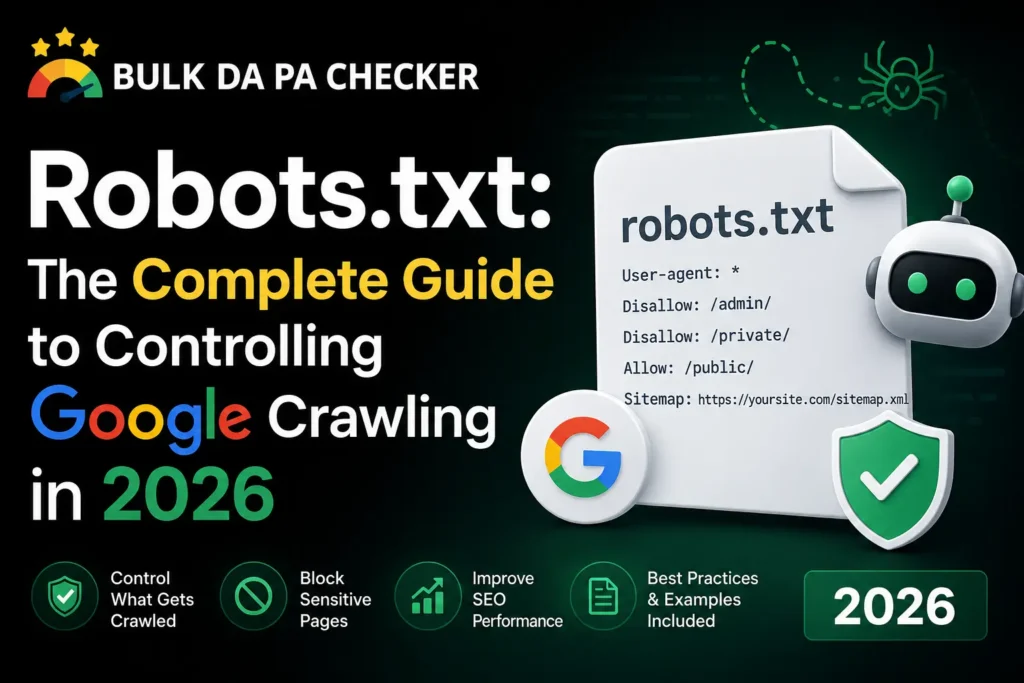
A robots.txt file is a plain text rule sheet that sits at the root of your domain and tells crawlers like Googlebot which paths they may request. It does not remove pages from Google’s index on its own, it only manages crawling. Get the syntax wrong and you can quietly block CSS, JS, or entire sections of a site without any warning until rankings drop.
What Robots.txt Actually Controls
Robots.txt controls crawling, not indexing. It tells search engine bots which URLs they are allowed to request from your server. A page can still appear in Google’s index even if it is blocked in robots.txt, usually showing up with no description, because Google found it through a link instead of by crawling it directly.
Most site owners assume robots.txt is a privacy tool. It is not. It is a traffic management tool for crawlers, sitting at yoursite.com/robots.txt, read before almost anything else on the page.
Search engines respect the file as a strong suggestion rather than a hard wall. Well-behaved bots like Googlebot and Bingbot follow it closely. Scrapers that ignore it entirely are common, so robots.txt is never a security measure.
- It manages crawl budget on large sites
- It keeps bots away from admin areas, search result pages, and duplicate parameter URLs
- It points crawlers to your sitemap location
55.24% of pages on the web have zero backlinks pointing to them according to Ahrefs research, and a large share of those pages are exactly the kind of thin, parameter-heavy URLs robots.txt is meant to keep crawlers away from in the first place.
How Googlebot Reads a Robots.txt File
Googlebot fetches robots.txt before crawling a domain and caches it for roughly 24 hours. It reads rules top to bottom and applies the most specific matching rule, not the first one it finds. A more specific Allow rule can override a broader Disallow rule for the same bot.
Each rule block starts with a User-agent line. Googlebot looks for a block addressed to “Googlebot” specifically before falling back to the generic wildcard block addressed to “*”.
From experience, I have seen agencies push a new robots.txt to a staging-to-production migration and forget that the staging version had Disallow: / sitting at the top. Within days, organic sessions on the client’s main category pages dropped sharply, and the only fix was pushing a corrected file and requesting a fresh crawl through Search Console.
Our Robots.txt File Generator avoids this exact mistake by building the file from selectable rules instead of free text, so a stray slash cannot wipe out an entire site’s crawl access.
Robots.txt Syntax: Disallow, Allow, and Sitemap
The three core directives are User-agent to target a specific bot, Disallow to block a path, and Allow to permit a path inside a blocked folder. A Sitemap line pointing to your XML sitemap is optional but recommended, since it gives crawlers a direct route to your most important URLs.
A minimal working file looks like this:
| Directive | Purpose | Example |
|---|---|---|
| User-agent | Targets a bot or all bots | User-agent: * |
| Disallow | Blocks a path from crawling | Disallow: /wp-admin/ |
| Allow | Permits a path inside a blocked folder | Allow: /wp-admin/admin-ajax.php |
| Sitemap | Points to your sitemap file | Sitemap: https://example.com/sitemap.xml |
Paths are case sensitive and match from the start of the URL path. A trailing slash matters, since Disallow: /blog and Disallow: /blog/ behave differently in how broadly they match.
Robots.txt vs Noindex: They Are Not the Same Thing
Robots.txt stops a crawler from requesting a page, while a noindex meta tag lets the crawler visit the page but tells it not to store the page in search results. Blocking a page with robots.txt and adding noindex to the same page is contradictory, since Google cannot read the noindex tag on a page it is not allowed to crawl.
This is one of the most common technical SEO mix-ups. Site owners want a page removed from search results, so they block it in robots.txt, then wonder why it still shows up weeks later with no snippet.
If the actual goal is removal from search results, the correct order is: allow crawling, add a noindex tag, wait for Google to recrawl and process the tag, then optionally block the path once it has dropped out.
Our full suite of SEO tools includes checks that flag pages with conflicting robots and noindex signals before they cause this exact confusion.
When You Should and Should Not Block a Page
Block paths that have no SEO value and waste crawl resources, such as internal search result pages, cart and checkout URLs, filtered parameter URLs, and admin login pages. Avoid blocking CSS, JS, or image directories that Google needs to render the page, since rendering issues directly affect how content is understood and ranked.
A frequent mistake on WordPress sites is blocking /wp-content/ entirely, which can sweep up theme CSS and JS files Google needs to render the page correctly. Google has been clear that it renders pages much like a browser does, and a page that fails to render properly can be misjudged on content quality.
Backlinks remain one of Google’s top three ranking factors, and none of that link equity matters if crawl issues keep your best pages from being processed correctly in the first place. Domain Authority, a 1 to 100 score developed by Moz to predict ranking ability, is built on the same backlink and crawl signals, so a sloppy robots.txt file can quietly drag down authority growth over time. If you are auditing a site’s overall link profile while you clean up crawl directives, our Bulk Broken Link Checker can scan your backlink and outbound link health in the same pass.
How to Test Your Robots.txt File
Test changes using Google Search Console’s URL Inspection tool, which shows exactly how Googlebot interprets your current robots.txt for any given URL. Always test before and after publishing changes, since a single misplaced character can block far more than intended.
From experience, the safest rollout pattern I use with agency clients is staging the new file, testing five to ten representative URLs across the site through URL Inspection, confirming the sitemap line resolves correctly, and only then pushing live during a low-traffic window so any unexpected drop is easy to spot and reverse quickly.
91% of pages on the web get zero organic traffic from Google, largely due to a lack of backlinks pointing to them, according to Ahrefs data. A broken robots.txt file can push otherwise strong pages into that same category by simply keeping Google from crawling them at all.
Robots.txt Template You Can Copy
A safe starting template allows all bots by default, blocks only admin and internal search paths, and lists the sitemap. This keeps the file short, readable, and low risk for sites without unusual crawl budget problems.
User-agent: *
Disallow: /wp-admin/
Disallow: /?s=
Allow: /wp-admin/admin-ajax.php
Sitemap: https://example.com/sitemap_index.xml
Swap in your own admin paths and sitemap URL, then verify it with Search Console before considering the job done.
Frequently Asked Questions
Does robots.txt remove pages from Google search results?
No. It only blocks crawling. A blocked page can still be indexed if Google finds it through external links, usually appearing without a description.
Where does the robots.txt file need to live?
At the root of the domain, such as example.com/robots.txt. It will not work if placed in a subfolder.
Can robots.txt block specific bots only?
Yes. Use a dedicated User-agent block naming the specific bot, such as Googlebot or Bingbot, with its own Disallow rules separate from the wildcard block.
Is robots.txt the same as a firewall rule?
No. It is a voluntary instruction that well-behaved crawlers follow. It provides no real security and should never be relied on to hide sensitive content.
How often does Google recheck robots.txt?
Google generally caches the file for around 24 hours, so changes are not instant but typically take effect within a day.
Get Your Robots.txt Right the First Time
If you want to skip the guesswork, our Robots.txt File Generator builds a clean, tested file from simple selections, and our free DA PA tool helps you keep an eye on authority while you clean up crawl issues. For a deeper technical pass, our expert SEO consultant service reviews crawl directives alongside the rest of your technical setup.